Best Online Learning Platforms (Compared by Skill, Budget, and Career Goals)
Maan C.
May 21, 2026
14 min read



There are more online learning platforms than ever. Some offer university-level programs with institutional credentials. Others focus on practical, project-based learning that gets you working faster. But not all platforms are useful for every goal — and choosing the wrong one wastes both time and money.
The scale of what you're choosing from is worth understanding. The global e-learning market was valued at approximately $300 billion in 2024 and is projected to reach $843 billion by 2030, growing at a compound annual growth rate of 19%. More platforms, more courses, and more credentials are coming — which means knowing how to choose is more valuable than knowing what is currently available. Global Market Insights
The evidence on outcomes is equally important to set expectations correctly. Employers are 72% more likely to hire someone with a Professional Certificate, according to Coursera's 2024 Job Skills Report — but that multiplier applies to completers who apply the skill, not to people who enroll and don't finish. Completion and application are what produce results. Platform selection is only the first decision. Coursera
This guide compares five major platforms based on structure, cost, certificate recognition, and practical fit — so you can choose one that actually moves you forward.
Employer recognition of certificates varies by region, industry, and role. Credential value should always be evaluated within your specific target market.
The right online learning platform is determined by how you learn, not by which platform has the most name recognition. Coursera and edX carry the strongest institutional credentials for employer recognition — but their structured format only delivers value if you complete the program, not just enroll. Udemy is the most cost-effective entry point for practical skill acquisition, but quality varies significantly between instructors and completion depends entirely on your own discipline. LinkedIn Learning is the fastest path to job-relevant skill visibility on your professional profile. Skillshare is the only platform on this list specifically built for creative and project-based learners — it is not the right choice for credential seekers. Completion plus application is what produces career outcomes — not enrollment or certificate collection.
Who This Guide Is For
- Beginners deciding where to start building a new skill
- Professionals looking to upskill quickly for a specific role or project
- Career changers who need recognized credentials to support a transition
- Anyone who has enrolled in courses before but struggled to finish or apply them
Quick Answer — Best Platforms by Category
Still unsure?
- Choose Coursera for structured credentials from recognized institutions
- Choose Udemy for affordable, flexible practical skill-building
- Choose LinkedIn Learning for fast professional upskilling with profile visibility
- Choose Skillshare for creative skills learned through project-making
- Choose edX for university-backed academic learning and formal credentials
How to Choose the Right Platform
Before comparing platforms, be clear about three things.
Your goal
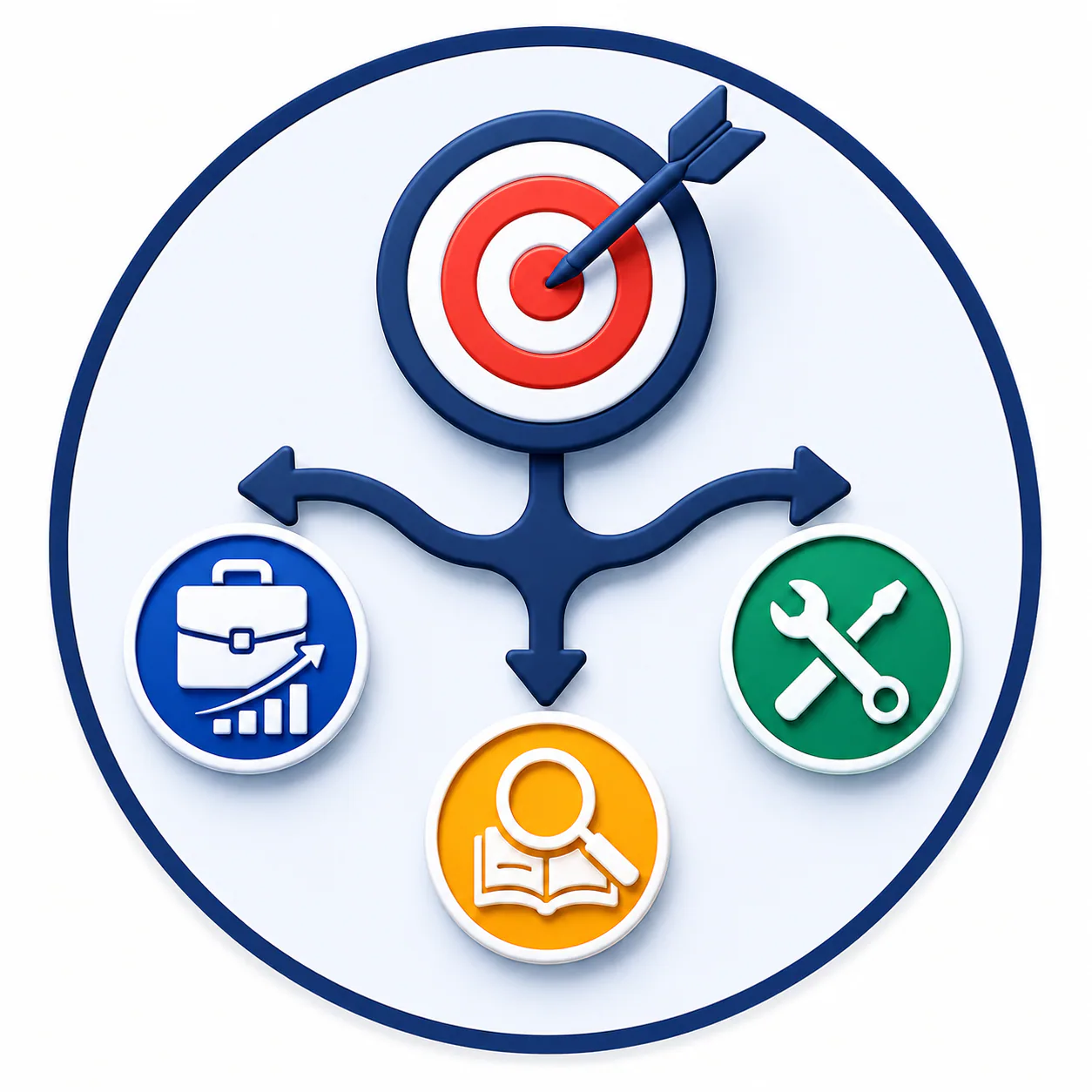
Career advancement requiring recognized credentials → Coursera or edX. Practical skill-building for freelance or trade work → Udemy or Skillshare. Exploring a field before committing time or money → Udemy previews, Coursera audits, or edX free audits.

Your budget
Free access exists on Coursera, edX, and LinkedIn Learning (via trial) — enough to confirm whether a platform and topic work for you before spending. Paid single courses on Udemy are the lowest-cost entry point for a specific skill. Subscription models on LinkedIn Learning and Skillshare make sense if you plan to learn continuously rather than one topic at a time.
Your learning style
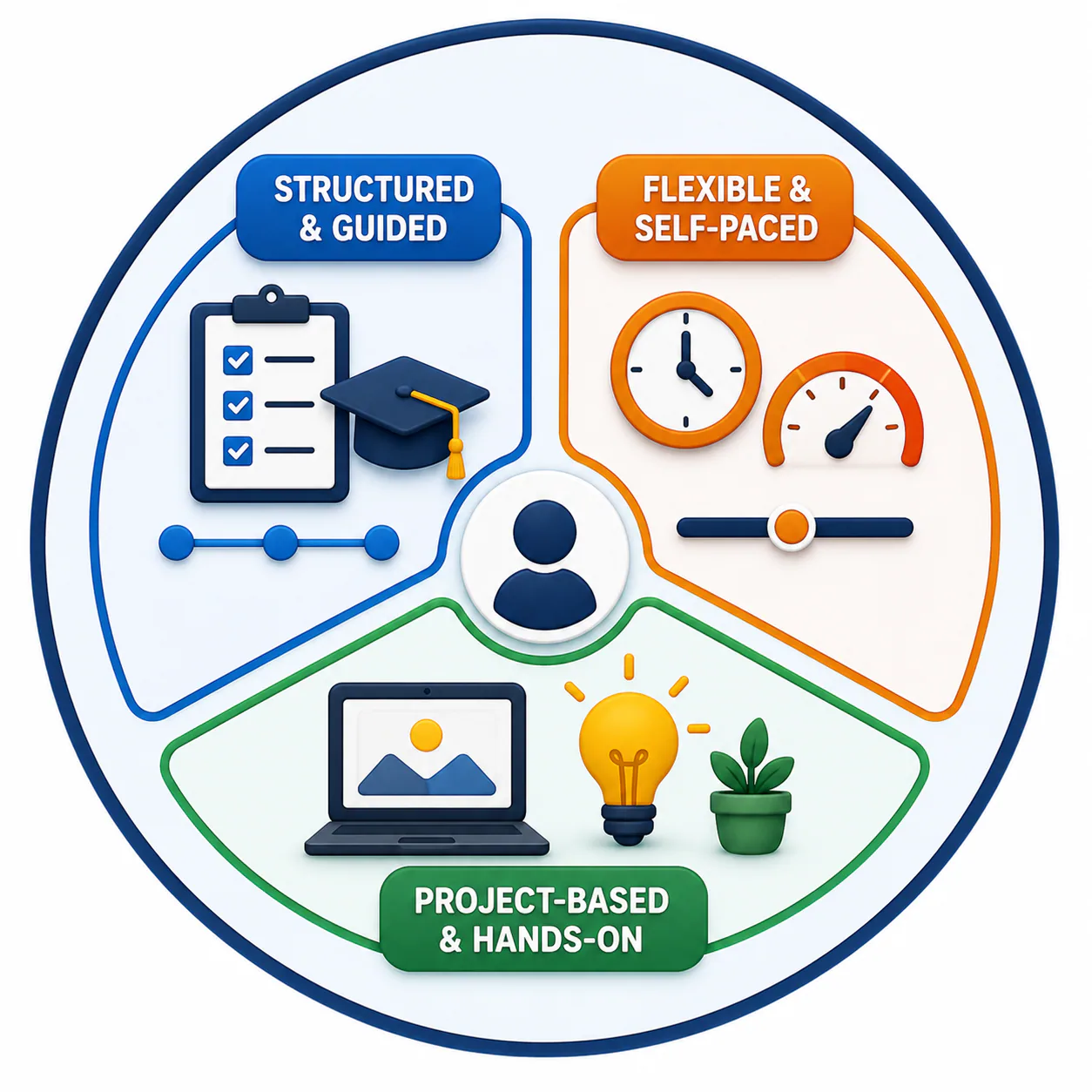
Structured and guided — you work best with a curriculum, deadlines, and clear progression: Coursera and edX. Flexible and self-paced — you prefer to move at your own speed and skip what you already know: Udemy. Project-based — you learn best by making something concrete: Skillshare.
The best platform is not the most popular one. It is the one that fits how you actually learn and what you are actually trying to achieve.
Platform Breakdown
Coursera — Best for Structured Learning and Recognized Credentials
Coursera partners with universities and organizations — Google, IBM, Meta, University of Michigan, Stanford — to offer programs that carry institutional credibility. The structure is closer to a course than a tutorial: video lectures, graded assignments, peer reviews, and a clear progression path. Coursera now has 170 million learners worldwide and partnerships with over 275 universities and companies. Global Market Insights
Pricing:
Free to audit most courses (no certificate). Coursera Plus: $59/month or $399/year, covering most of the catalog including Professional Certificates.
Pros:
- Certificates from recognizable institutions and companies carry genuine hiring weight
- Structured programs provide accountability and clear milestones
- Employers are 72% more likely to hire candidates who hold a Professional Certificate — the strongest credential ROI data on this list Coursera
- Google, IBM, and Meta Professional Certificates have documented job placement outcomes in tech and data roles
Cons:
- Content can lean theoretical, particularly in university-partnered courses
- Coursera Plus pricing adds up quickly if you only need one specific skill
- Free audit does not include graded assignments or the certificate
Best for:
Students building credentials, career changers who need recognizable proof of skills, professionals pursuing structured development with a certifiable outcome. Google Career Certificates on Coursera are among the more widely recognized non-degree credentials in digital career pathways — recruiters at larger organizations in tech and data roles actively look for them.
Udemy — Best for Practical Skills and Budget-Conscious Learners
Udemy operates as a marketplace — individual instructors publish courses, and you purchase courses individually rather than through a subscription. The variety is enormous and the pricing is accessible, with courses frequently discounted to $9.99–$14.99 during near-constant sales.
Pricing:
Individual courses typically $9.99–$29.99 during sales. Personal Plan: $16.58/month billed annually, covering most of the catalog.
Pros:
- Lowest cost per skill of any platform on this list when purchased during sales
- Massive variety — virtually any practical skill has multiple course options
- Lifetime access to purchased courses — no ongoing subscription required
Cons:
- Quality varies significantly between instructors — reading reviews before purchasing is not optional
- Less structured than Coursera or edX; completion depends entirely on self-discipline
- Certificates are Udemy-issued and carry less institutional recognition than university-backed platforms
Best for:
Beginners testing a skill before committing to a formal program, freelancers learning specific tools (Adobe, Python, Excel, Figma, Canva), self-learners who prefer flexibility over structured progression.
LinkedIn Learning — Best for Professional Upskilling With Profile Visibility
LinkedIn Learning hosts over 20,000 courses across business, technology, and creative categories, with a focus on concise, professional-grade content. Courses typically run two to four hours. Completed courses appear directly on your LinkedIn profile — a meaningful integration for anyone actively job searching or building professional visibility. Global Market Insights
Pricing:
$39.99/month or $19.99/month billed annually ($239.88/year). A one-month free trial is typically available. LinkedIn Premium subscribers often have access included.
Pros:
- Short, focused format is practical for professionals with limited learning time
- Certificates display directly on your LinkedIn profile after completion — immediately visible to recruiters
- Course library is curated, making quality more consistent than Udemy's instructor marketplace
Cons:
- Subscription required — no individual course purchases
- Less depth than Coursera or edX for complex, multi-faceted topics
- Carries less credential weight than university-partnered certificates in formal hiring processes
Best for:
Professionals who need to upskill quickly on a specific job-relevant topic, anyone actively job searching who wants visible LinkedIn profile activity, people who learn effectively in short sessions rather than long-form structured courses.
Skillshare — Best for Creative Skills and Portfolio Work
Skillshare focuses on creative disciplines — graphic design, illustration, photography, video production, writing, and content creation. The format is project-based: courses are built around something you create, not just content you consume. The community element — viewing and learning from other students' projects — is a genuine differentiator for creative learners.
Pricing:
$165/year ($13.75/month billed annually) or $32/month. A one-month free trial is available.
Pros:
- Project-based format produces portfolio-ready work, not just course completions
- Strong community — seeing what other students create adds context and inspiration
- Practical for content creators and freelancers in visual and creative fields
Cons:
- Limited technical depth — Skillshare is not the right platform for data science, programming, or formal business credentials
- Subscription only — no individual course purchases
- Certificates carry minimal institutional recognition in traditional hiring
Best for:
Designers, illustrators, photographers, content creators, and anyone who learns by making something. Not the right platform for career changers seeking employer-recognized credentials or anyone in a technical field.
edX — Best for University-Level Credentials and Academic Rigor
edX partners with global universities — MIT, Harvard, Berkeley, Oxford — to offer courses built to academic standards. The free audit option is among the most generous of any platform reviewed here, making it the best choice for accessing university-level content at no cost. Verified certificates cost more but carry significant institutional weight.
Pricing:
Free to audit most courses (no certificate). Verified certificates: $50–$300 per course. Professional Certificate and MicroMasters programs: $600–$1,500+. edX Pro: $199+/month for broader catalog access.
Pros:
- Highest institutional credibility of any platform on this list for formal credentials
- Free audit option provides genuine course access without any cost commitment
- MicroMasters and Professional Certificate programs are recognized pathways in engineering, data science, and business
Cons:
- More theory-heavy than Udemy or Skillshare — less immediate practical application
- Verified certificates are the most expensive on a per-course basis of any platform reviewed here
- Some programs follow cohort schedules, which limits flexibility
Best for:
Academic learners seeking university-level credentials, professionals in fields where institutional credibility matters, anyone who wants to audit high-quality university content for free before deciding whether to pay for the certificate.
Full Platform Comparison
Pricing verified May 2026.
Which Platform Should You Choose?

Choose based on how you prefer to learn — not just what you want to learn. The match between your learning style and a platform's structure is what determines whether you finish and apply the skill.
- Structured career path with recognized credentials → Coursera or edX
- Flexible skill-building at low cost → Udemy
- Quick professional upskilling with immediate LinkedIn visibility → LinkedIn Learning
- Creative skills and portfolio building → Skillshare
If you are starting from scratch: Choose one platform. Focus on one skill. Complete one course. Apply what you learned before enrolling in another. The most common and expensive mistake in online learning is accumulating courses without applying any of them.
Are Online Learning Platforms Worth It?
Yes — when used with intention. The platform does not create results. What you do with the learning does.
They work when:
- You complete the course and apply the skill to a real project or role
- You choose a skill with genuine demand in your target field
- You use the course as a starting point — not a substitute for real-world practice
They do not work when:
- You enroll in multiple courses simultaneously and finish none of them
- You treat the certificate as the outcome rather than the skill
- You choose a topic based on what looks impressive rather than what serves a concrete goal
Employers are 72% more likely to hire candidates who hold a Professional Certificate — but that advantage applies to people who completed the program, demonstrated the skill, and can speak to how they used it. Completion and application are the variables that determine return on a learning investment. Coursera
Common Mistakes When Choosing a Platform

Choosing based on popularity rather than fit.
Coursera is not the best platform for someone who learns best by doing — Udemy or Skillshare is. Matching a platform to your learning style is more important than choosing the most recognizable name.

Taking too many courses simultaneously.
Enrolling in three or four courses at once — across different platforms, different topics — produces surface-level exposure to everything and mastery of nothing. One course, one skill, one completion before the next one starts

Expecting a certificate to do the work.
Certificates signal that you completed a course. They do not signal that you can apply the skill. Employers who value platform certificates are typically using them as a proxy for completion discipline and learning intent — not as proof of capability. Your portfolio and applied work carry more weight than the credential alone.

Evaluating platforms by price alone.
A $9.99 Udemy course you complete and apply produces more value than a $300 edX certificate you audit without finishing. Price and value are not the same thing in online learning.
Frequently Asked Questions
Who Should Use This Guide?
It depends on which platform issued them and what role you are applying for. Coursera's Professional Certificates (Google, IBM, Meta) have documented career outcomes, and employers are 72% more likely to hire candidates who hold one — particularly in tech and data roles. edX certificates from major universities carry significant institutional weight in fields where credentials matter. LinkedIn Learning badges are visible on your profile but carry less institutional weight than university-backed certificates. Udemy and Skillshare certificates are rarely decision-making factors on their own — the work you produce with the skill matters more. Coursera
Can I get a job using only online courses without a degree?
Yes, in specific fields — particularly technology, digital marketing, content creation, and design. In fields that require accredited credentials (medicine, law, engineering in regulated contexts), online courses supplement but don't replace formal education. The most effective approach is combining online learning with a demonstrable portfolio of real work — projects, freelance clients, or GitHub contributions — that shows employers you can apply the skill, not just that you completed a course about it.
Which platform is best for learning to code?
Coursera (via Google's IT Automation and Data Analytics certificates), edX (MIT and Harvard computer science courses), and Udemy (practical programming in Python, JavaScript, and more) are all strong options depending on your goal. If you want a structured credential from a recognized institution, Coursera or edX. If you want practical, project-based coding experience at low cost, Udemy. LinkedIn Learning and Skillshare are not the right choice for serious technical programming.
Is it worth paying for Coursera Plus instead of individual courses?
Coursera Plus ($399/year) makes sense if you plan to complete more than two or three paid courses in a year, or if you want access to a Professional Certificate program. If you only need one specific course, auditing for free or paying for a single verified certificate is more cost-effective. The free audit option gives you access to most course content — just not the graded assignments or the certificate.
How do I stay motivated to finish an online course?
Set a specific completion date before you start — not a vague intention. Schedule the same block of time each week for the course, the way you would schedule a meeting. Start the first module within 24 hours of enrolling — completion rates drop significantly when learners delay getting started. Define what you will do with the skill when you finish, not just what the skill is. A concrete application goal ("I will use this to apply for X roles" or "I will build this project") produces higher completion than a vague improvement goal.
Can I use multiple platforms at the same time?
You can, but most people should not. Using two platforms simultaneously usually means neither course gets finished. A better approach is to complete one course and apply the skill before evaluating whether a second platform fills a gap the first one left. The exception is complementary learning — using Coursera for a structured credential while using Udemy for a specific tool within that field — where the two platforms serve genuinely different purposes without competing for the same study time.
Conclusion
Online learning platforms make skill-building more accessible than at any point in history. The global e-learning market is projected to nearly triple from $300 billion in 2024 to over $840 billion by 2030 — more options, more credentials, and more platforms are coming. Knowing how to choose within that landscape is the skill that matters most. Global Market Insights
Choose the platform that matches how you learn. Finish what you start. Build something with what you learn. Then evaluate whether another platform fills a real gap that your first choice left open.
That is how online learning produces career results.
Primary Sources
- Grand View Research. E-Learning Services Market Size, Share & Industry Report 2030. 2025. grandviewresearch.com/industry-analysis/e-learning-services-market
- Coursera. Job Skills of 2024 Report. March 2024. blog.coursera.org/fastest-growing-job-skills-of-2024 (employers 72% more likely to hire Professional Certificate holders)
- Coursera. Global Skills Report 2025. coursera.org/skills-reports/global (170 million learners; GenAI enrollment trends)
- DemandSage. 52 eLearning Statistics 2026. December 2025. demandsage.com/elearning-statistics (LinkedIn Learning 20,800+ courses; Coursera revenue data)
- Coursera Investor Relations. Annual Revenue Report 2024. ($694.7 million in 2024)
- Arizton Advisory & Intelligence. Global E-Learning Market 2025–2031. arizton.com/market-reports/e-learning-market-size ($325 billion in 2025, $665 billion by 2031)

About the Author
Maan C. is a Filipino writer, blogger, and self-described frustrated journalist who finally found her voice through writing. She holds a degree in psychology, a diploma in Special Education, and spent eight years in the classroom — teaching ESL to Korean students and handling preschool classes before stepping away to raise her family. After a decade as a full-time mother, she re-entered the workforce as a company-trained SEO specialist and virtual assistant, rebuilding her career from scratch before pivoting to full-time blogging. She writes about technology, AI, education, careers, freelancing, travel, finance, real estate, and more.
In this article, Maan draws from her own experience navigating a 10-year career gap, re-entering the workforce in a completely new field, and rebuilding income from the ground up. Read more at pixelscoop.com.