
How to Optimize Your LinkedIn Profile for Visibility and Opportunities
Maan C.
May 21, 2026
14 min read



Most people treat LinkedIn like an online resume. They fill out their profile, leave it unchanged, and expect it to work.
But LinkedIn is not a static document. It is a search and discovery platform — and visibility depends on how clearly your profile matches what others are looking for.
The scale of what you're competing on matters. LinkedIn has 1.2 billion registered users across 200 countries, with 310 million monthly active users. Within that network, 97% of recruiters use LinkedIn to find potential candidates, and 87% say it is the most effective method they use for vetting them — making it the dominant sourcing platform by a wide margin. Three million people are hired through LinkedIn every month. Recruitaisuite + 2
The most common LinkedIn problem is not a weak background. It is a strong background made invisible by a profile that is unclear, incomplete, or written for the wrong audience. Profiles that reach All-Star status — LinkedIn's designation for fully completed profiles — are 40 times more likely to receive opportunities than those that haven't reached it, yet approximately 51% of LinkedIn profiles still haven't cleared that basic completion bar. Most of the gap is fixable. Kerkar Media
This guide explains how to make your profile easier to find, understand, and trust — using the same factors recruiters and hiring managers actually evaluate.
LinkedIn profile optimization is not about looking impressive — it is about being findable, clear, and trustworthy in the seconds someone spends evaluating your profile. Reaching All-Star status is the baseline, not the goal; a complete but poorly written profile still gets ignored. Keywords belong in your headline first, your About section second, and your experience descriptions third — in that order of search ranking weight. A professional photo is not optional: profiles with one receive 21 times more views and 36 times more recruiter messages than those without. Five or more listed skills increases recruiter contact by 33 times and profile views by 17 times. Your headline is the single highest-leverage section — if it reads like a job title, rewrite it today.
Who This Guide Is For
- Job seekers who want to appear in recruiter searches without actively applying
- Professionals who have a complete profile but aren't getting traction
- Career switchers repositioning their experience for a new direction
- Freelancers and consultants using LinkedIn as a client discovery channel
- Anyone who hasn't updated their profile since they were last job hunting
What LinkedIn Optimization Actually Means
LinkedIn optimization is the process of improving your profile so it can be easily found, clearly understood, and trusted by recruiters and professionals. It is not about making your profile look impressive. It is about making it relevant, structured, and aligned with what people are actively searching for.
In simple terms: LinkedIn optimization means ensuring your profile shows up in the right searches and communicates your value in the seconds someone spends looking at it.
How LinkedIn Actually Works
LinkedIn operates like a search engine for professionals. Recruiters and employers search using keywords — job titles, skills, tools, certifications, locations — and scan results quickly, typically within seconds per profile.
87% of recruiters say LinkedIn is the most effective method for vetting candidates, and 97% use it to find potential candidates — which means your profile is not just viewed once someone finds it. It is ranked and filtered before anyone clicks. A profile without relevant keywords may not appear in searches for roles you are targeting. A profile without structure may be skipped in the time it takes to scan a result list. Recruitaisuite
LinkedIn does not evaluate your full potential. It evaluates how clearly your profile matches what is being searched at that moment.
Why Most LinkedIn Profiles Don't Work
Most profiles fail for simple, fixable reasons:

Too generic.
A profile that tries to appeal to everyone communicates nothing specific enough to match a recruiter's search. No clear direction means no clear match.
Missing or mismatched keywords.
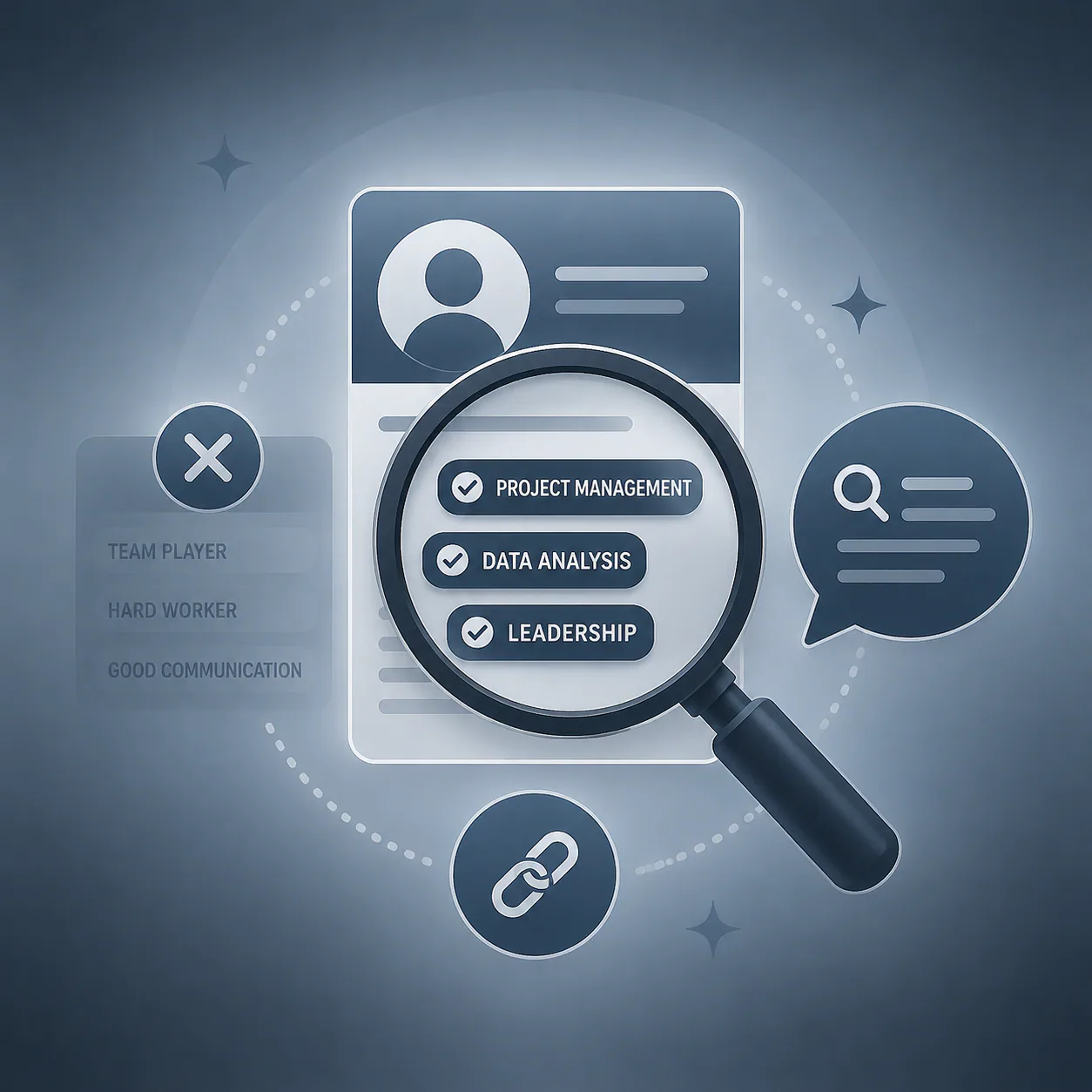
Using different language than job descriptions use means the platform doesn't connect your profile to relevant searches. If the role says "data analysis using Excel" and your profile says "worked with spreadsheets," the algorithm may not recognize them as equivalent.
Written like a resume instead of a profile.
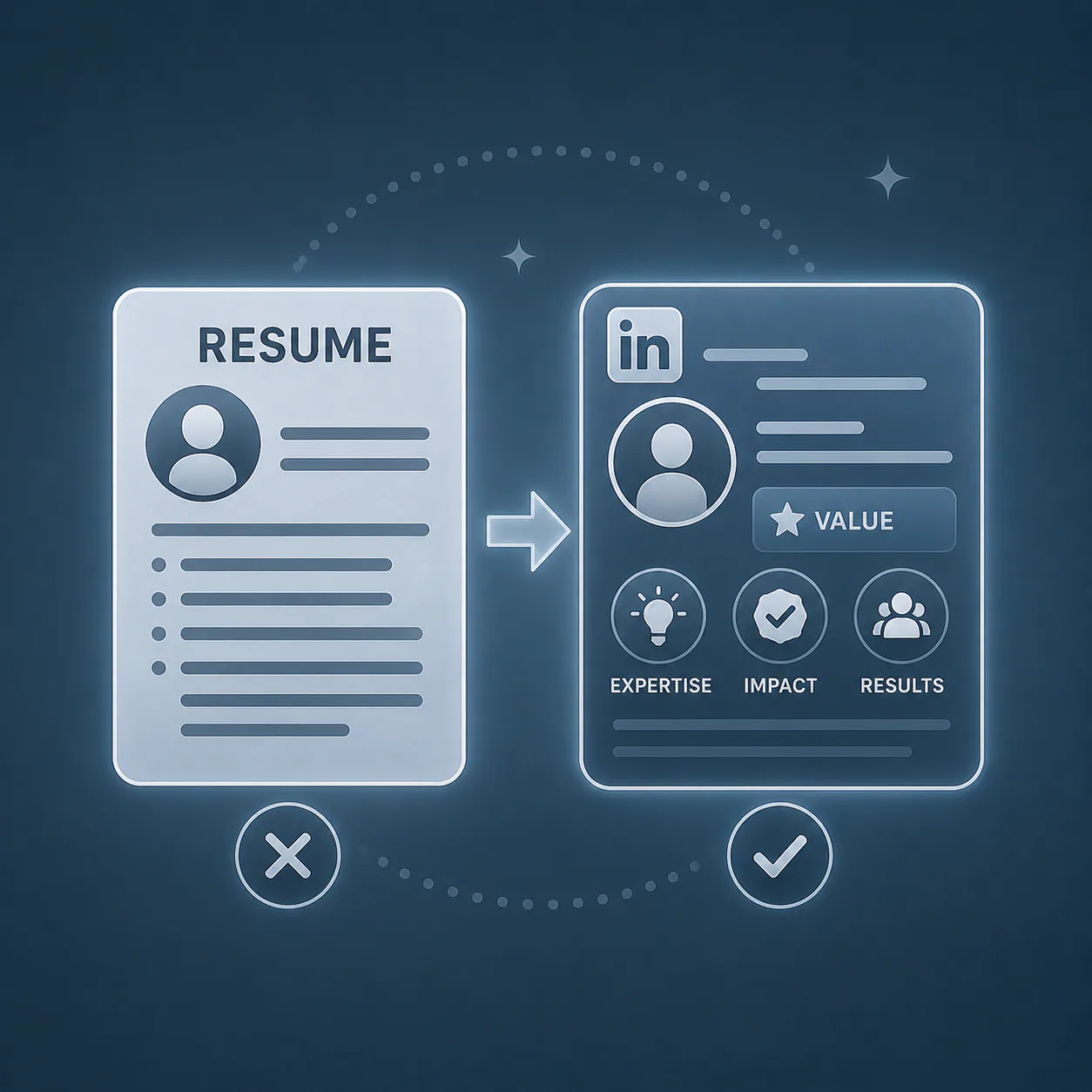
A resume lists responsibilities. A LinkedIn profile communicates value and must perform in a search context. The purpose, structure, and language are meaningfully different.

No clear positioning.
The profile doesn't quickly answer the one question every recruiter is asking: what do you do, and what value do you bring? If that answer is not obvious within the first few seconds, most people move on.
The Three Elements of an Effective LinkedIn Profile
Rather than thinking in disconnected steps, think in three core elements that work together.
1. Clarity
Your profile should communicate immediately: your role or direction, your focus area, and the type of work you are associated with. If a recruiter cannot determine your direction in under ten seconds, the profile is not clear enough.
2. Relevance
Your profile should align with real search behavior — using keywords from job descriptions in your target field, reflecting skills currently in demand, and describing your experience in the language roles are commonly posted in. Relevance determines whether your profile appears in the searches that matter.
3. Consistency
Your profile should feel aligned across all sections. Your headline should match your experience. Your About section should support your direction. Your experience descriptions should reflect your skills. Inconsistency — a senior-sounding headline with entry-level descriptions, or a specialized focus with no supporting skills listed — reduces trust even when the underlying background is strong.
Headline Optimization
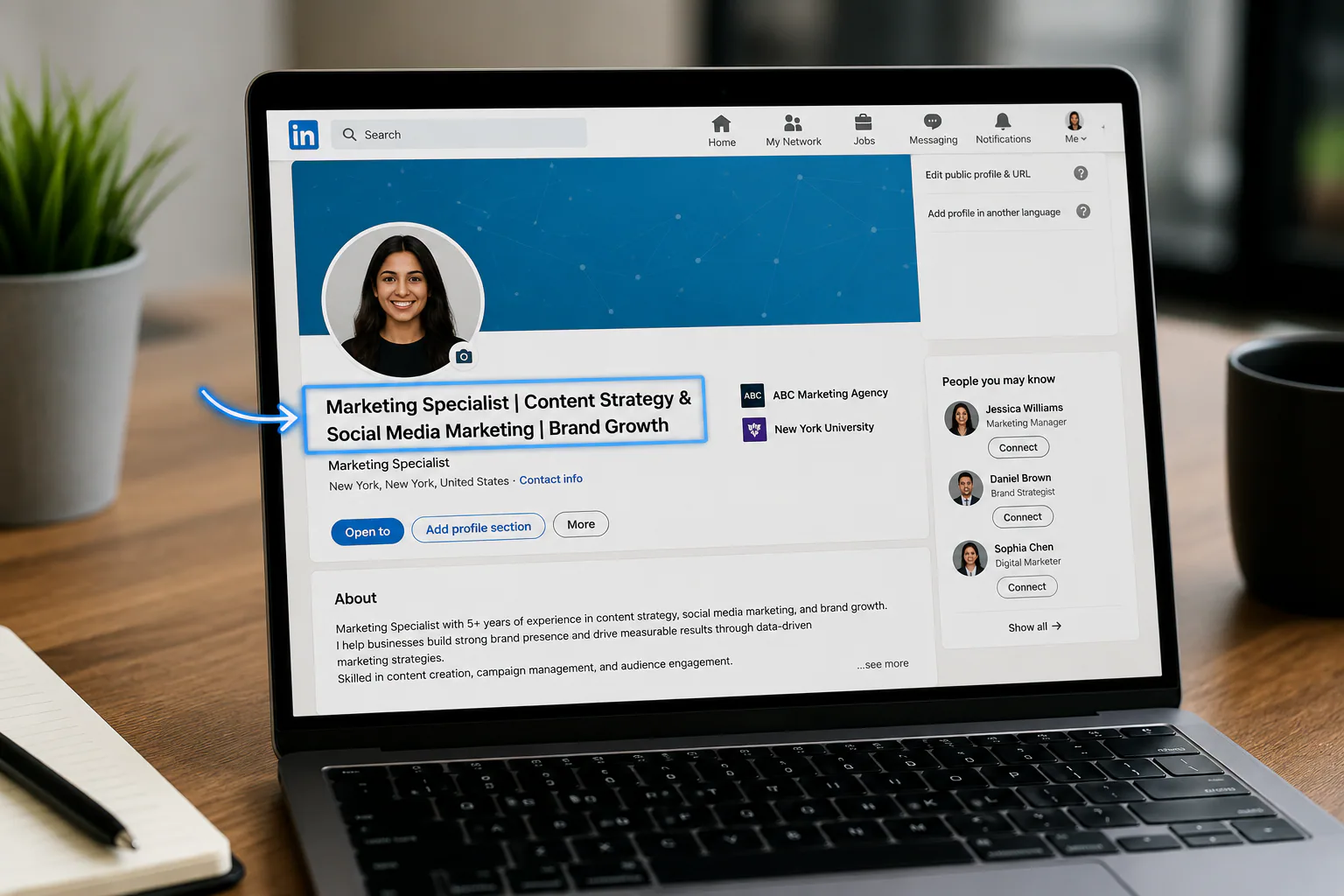
Your headline is the highest-leverage section on your LinkedIn profile. It appears in search results, connection requests, comments, and notifications — making it the first thing most people see before visiting your profile. A well-crafted headline can lift profile views by 40% and generate 5x more recruiter messages compared to a generic job title. Sales So
Formula: Role + Key Skill + Focus Area
❌ Weak: "Student | Looking for opportunities"
✅ Improved: "Marketing Student | Content Writing & Social Media Strategy"
❌ Weak: "HR Professional"
✅ Improved: "HR Generalist | Talent Acquisition & Employee Relations"
❌ Weak: "Recent Graduate"
✅ Improved: "Computer Science Graduate | Python & Data Analysis | Seeking Data Analyst Roles"
❌ Weak: "Freelancer"
✅ Improved: "Freelance Copywriter | B2B SaaS & Tech | Long-Form Content & Case Studies"
The improved versions are keyword-aligned, direction-focused, and searchable. The weak versions communicate intent but not capability. Your LinkedIn headline defaults to your current job title and company when you first create your profile — that default is almost always the least searchable version of your value. Replace it immediately.
The About Section
Your About section is where your profile has room to speak in full sentences — and most people waste it. It should answer three questions in order: what do you do, what are you focusing on, and what can you contribute? A recruiter reading your About section should finish it knowing your direction and having a reason to continue.
A structure that works:
- Two to three sentences introducing your background and focus
- A short list of your core skills or areas of expertise
- One to two sentences on your direction or what you are looking for
Keep paragraphs short. Write for scanning, not for reading. The About section gives you 2,600 characters — use enough to answer those three questions clearly, but not so much that it requires sustained attention to get through. Roughly 150 to 250 words is the right range.
What to avoid: Motivational openings ("I am passionate about making a difference"), lengthy career histories, and vague descriptions that could apply to anyone in any field.
Experience Section
Your experience descriptions should show contribution and result — not just a list of tasks you were assigned. The distinction matters: responsibilities describe the job. Contributions describe what you did with it.
❌ Weak: "Responsible for social media posts"
✅ Improved: "Created and managed social media content across Instagram and LinkedIn to support brand visibility and audience growth, increasing engagement rate by 22% over six months"
When writing experience bullets:
- Start with an action verb — created, managed, led, developed, improved
- Include what you worked on specifically
- Add the result or impact where you have it — even approximate numbers are better than none
- Use the language of job descriptions in your field, not internal jargon
LinkedIn allows you to attach images, PDFs, links, and videos to each experience entry. Use this to show work samples, project results, or published pieces directly beneath the relevant role — turning a text description into demonstrable proof.
How to Use Keywords on LinkedIn

Keywords are how LinkedIn's algorithm connects your profile to searches. They should reflect your role, your skills, and the tools or platforms you work with.
Before updating your profile, review three to five current job descriptions in your target field. Note the terms that appear most frequently — these are the keywords your profile should reflect. Pay particular attention to how skills and tools are named, because small differences matter. "Google Analytics" and "GA4" are treated differently. "Certified Scrum Master" and "scrum expert" are not equivalent in search.
Where to place keywords:
- Headline — highest search ranking weight of any section
- About section — within your first paragraph and your skills list; 8–12 keywords integrated naturally
- Experience — within your contribution descriptions for each role
- Skills section — directly listed where they can be endorsed
Key principle: Use keywords where they read naturally. Keyword stuffing — repeating the same terms excessively — makes your profile harder to read and is penalized by LinkedIn's current algorithm. Context and natural placement matter more than raw frequency.
The Featured Section
The Featured section appears near the top of your profile and allows you to pin specific content — links, documents, posts, or portfolio pieces — that you want every profile visitor to see immediately.
This section is consistently underused and high-impact. It appears before your experience history and is visible to every profile visitor. Pin your strongest work samples, a portfolio link, a published article, or a project that demonstrates what you do best. Write a custom title and description for each pinned item rather than leaving the default preview text — those fields are additional keyword placement opportunities most profiles leave blank.
If you have nothing to pin yet, leave it empty rather than filling it with generic content. An empty Featured section is better than a weak one.
Skills and Endorsements
LinkedIn allows you to list up to 50 skills, but the top five are most visible and most endorsed. Profiles with five or more skills listed are contacted up to 33 times more by recruiters and receive 17 times more profile views than those with fewer skills. That gap alone makes the skills section one of the highest-leverage sections to complete. CNBC
Prioritize the five skills most directly relevant to your target role — these are the ones recruiters filter by and the ones your connections are most likely to endorse. Align your top skills with the keywords that appear most frequently in job descriptions for roles you are targeting. "Content Marketing," "SEO," and "Copywriting" as top skills will surface your profile in far more relevant searches than generic entries like "Microsoft Office" or "Communication."
Ask two or three connections who have seen your work directly to endorse specific skills. Endorsements from people in relevant roles carry more signal weight than endorsements from unrelated contacts.
Recommendations
A recommendation from a manager, colleague, or client is the strongest trust signal on LinkedIn — because it requires someone else to take action on your behalf.
One or two genuine recommendations from people who have directly worked with you transforms your profile from a self-reported document into one with external validation. This matters most for roles where trust and professional relationships are part of the evaluation.
Ask for recommendations from people who can speak specifically to your work — not just that you are "great to work with." The most useful recommendations describe a specific project, outcome, or skill they directly observed. Generic praise adds little; specific evidence adds a great deal.
Profile Photo and Banner
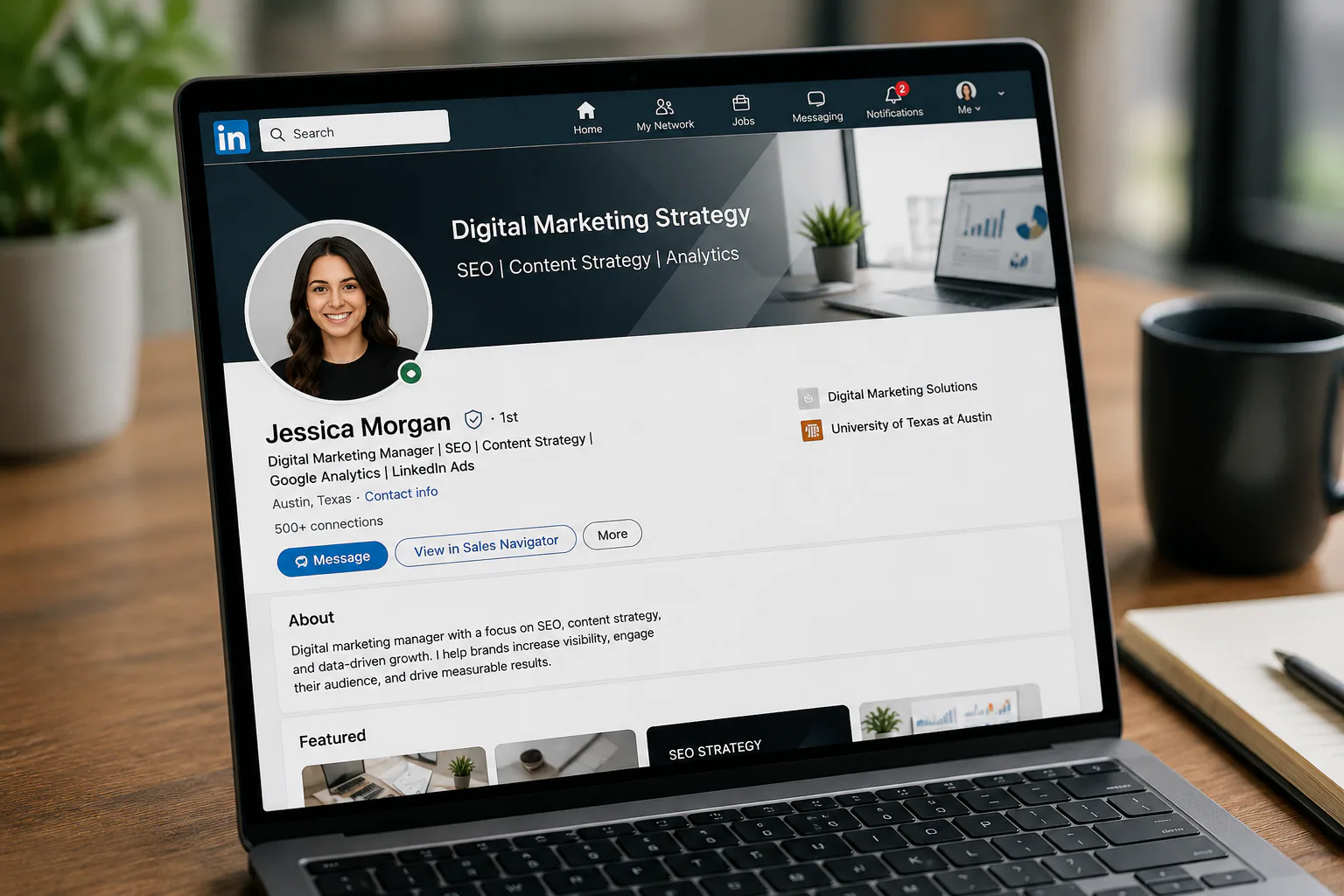
Profiles with professional photos receive 21 times more profile views, 9 times more connection requests, and 36 times more messages from recruiters than those without one. Your photo is the first visual element recruiters see in search results and the first trust signal they evaluate before reading a word of your profile. Capturely
Photo: Clear and professional. Your face should fill 60–70% of the frame. Neutral or simple background. Good lighting — natural light near a window during daylight is usually sufficient. You do not need a professional photographer, but the photo should look intentional. Avoid selfies, cropped group shots, or anything more than two to three years old.
Banner: The background image behind your profile photo is visible to every visitor and most people leave it as LinkedIn's default gradient. Only 32% of users optimize their banner image — which means replacing it with something relevant to your field is a quick, visible differentiator. Use a simple branded graphic, a relevant industry image, or a clean text banner with your focus area. Canva has free LinkedIn banner templates sized at the correct 1584 x 396 pixel dimensions. Image for Post
What Affects Your Profile Visibility
Beyond profile content, LinkedIn's search ranking is influenced by several factors:
Profile completeness. LinkedIn assigns All-Star status to profiles that have completed all key sections — profile photo, headline, location, industry, current position with description, two past positions, education, at least five skills, and 50 or more connections — and surfaces them far more frequently in search results. Fill every section. Kerkar Media
Keyword relevance. How well your profile language matches the terms recruiters are actively using in their searches determines whether you appear in results at all.
Activity. Profiles with recent activity appear more prominently in some search results. You do not need to post daily — one post per week minimum and commenting on three to five posts by people at target companies each week is sufficient to maintain active-profile visibility signals. ResumeVera
Connection degree. LinkedIn prioritizes showing profiles within your existing network. First and second-degree connections appear higher in search results than third-degree. Growing your network gradually — even by connecting with people in adjacent roles — expands the searches in which you appear. Personalized connection requests achieve a 9.36% acceptance rate compared to 5.44% for generic requests — a 72% improvement from one simple change. Sales So
Custom profile URL. A personalized URL (linkedin.com/in/yourname) appears cleaner on resumes, business cards, and email signatures, and ranks higher in Google searches for your name than the default string of random characters. Takes two minutes to set.
Common LinkedIn Mistakes
Copying your resume directly.
A resume is designed to be scanned for responsibilities against a specific role. A LinkedIn profile is designed to appear in searches and build trust with anyone who visits. The language, structure, and purpose are different.
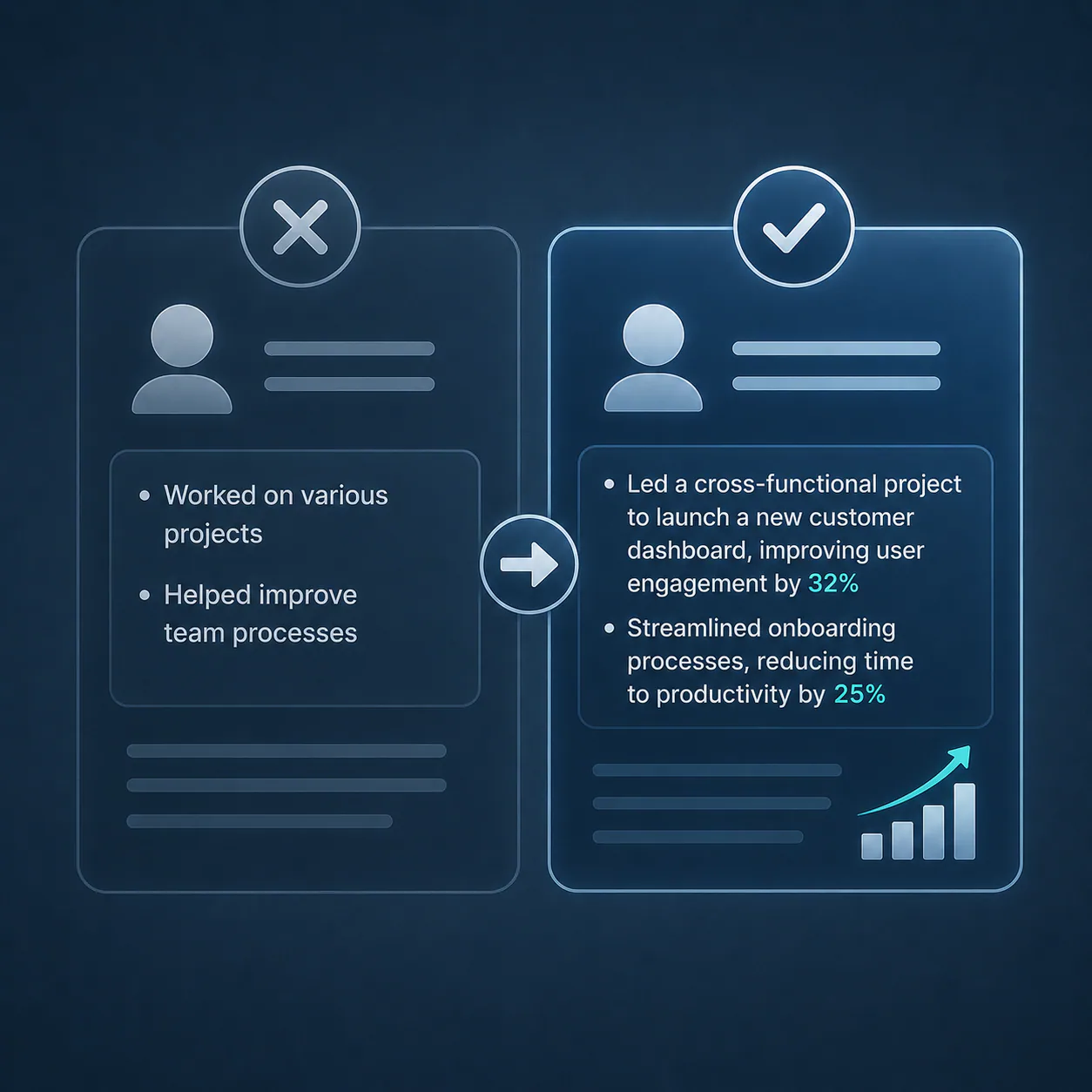
Using vague descriptions.
"Worked on various projects" and "helped improve team processes" communicate nothing specific. Every description should name what you worked on and what happened as a result.

Leaving the headline at the default.
LinkedIn automatically sets your headline to your current job title and company. This is almost always the least searchable version of your professional value. Replace it with the formula above.
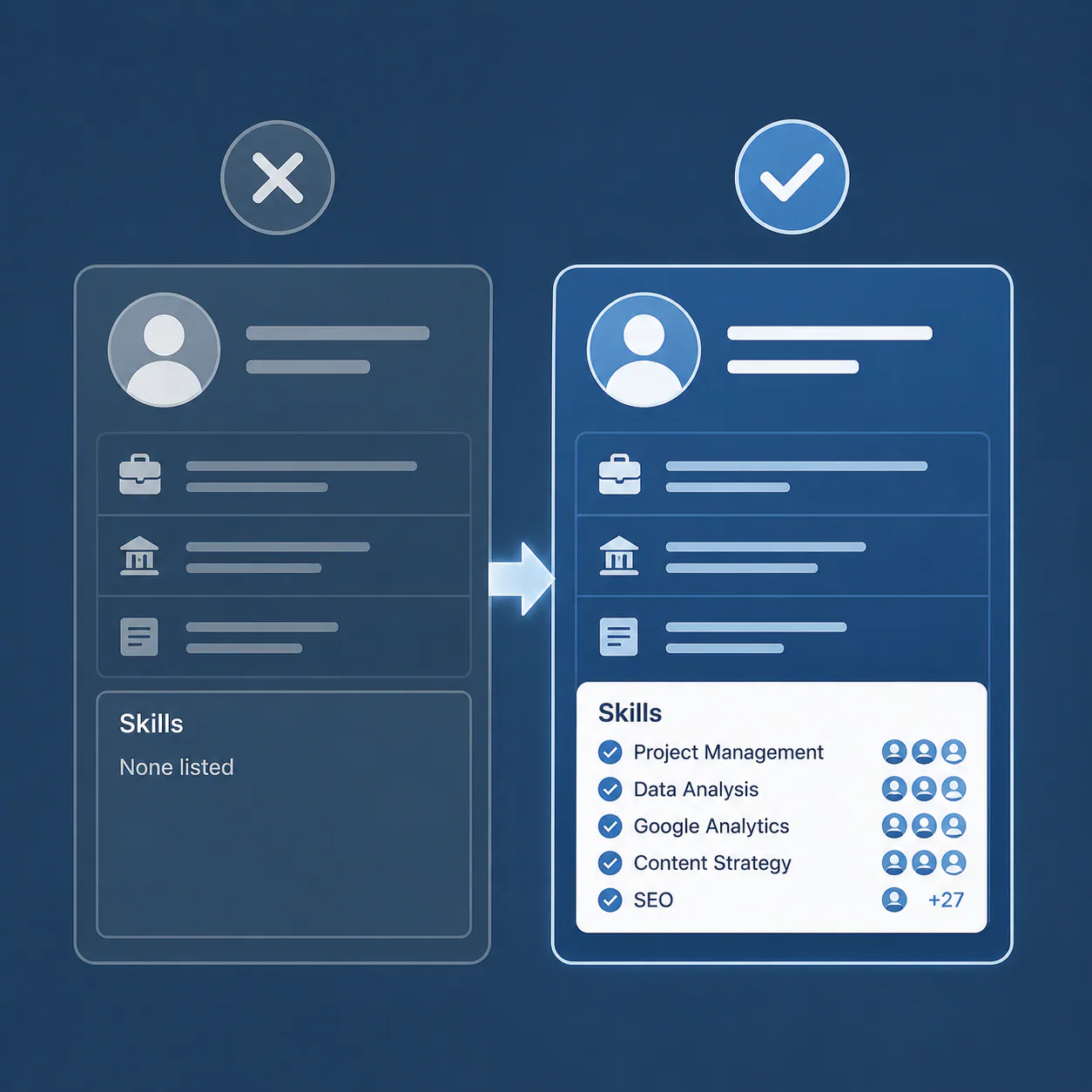
Ignoring the Skills section.
Profiles with five or more skills are contacted 33 times more by recruiters than those with fewer. Leaving skills unlisted or listing skills that don't match your target field means missing both the endorsements and the search visibility those skills would generate. CNBC

Treating the profile as finished.
A profile that accurately reflected where you were three years ago may not reflect where you are now — or where you want to go. Update it when your direction, skills, or experience change significantly, and do a light keyword review every three to six months as role descriptions in your field evolve.
LinkedIn Optimization Checklist
Before considering your profile complete:
- Headline clearly states role, key skill, and focus area using field-relevant keywords
- About section answers what you do, what you focus on, and what you can contribute — in that order — within 150–250 words
- Experience descriptions show contribution and result, not just task lists, starting with action verbs
- At least five skills listed, aligned with keywords from job descriptions in your target field
- At least one item pinned in Featured section with a custom title and description
- Profile photo is clear, professional, face fills 60–70% of frame, not a selfie or cropped group shot
- Banner image has replaced the default LinkedIn gradient
- At least one recommendation from someone who can speak to specific work or outcomes
- Profile completeness shows All-Star status
- Custom profile URL is set using your name
- 50 or more connections (required for All-Star status)
Frequently Asked Questions
Does LinkedIn actively help you get opportunities?
Yes — actively. 97% of recruiters use LinkedIn to find potential candidates, and three million people are hired through the platform every month. A well-optimized profile puts you in front of recruiters who are actively looking for someone with your skills, without requiring you to apply anywhere. Recruitaisuite
How often should I update my profile?
Update whenever your skills, experience, or direction changes significantly — a new role, a completed project worth featuring, or a shift in your career focus. Beyond that, a light review every three to six months keeps your keywords current and ensures your profile still reflects how roles in your field are currently being described in job postings. LinkedIn's algorithm also rewards recently active profiles with better search placement.
What is the difference between a LinkedIn profile and a resume?
A resume is a formal document submitted for a specific role, designed to be scanned against one job's requirements. A LinkedIn profile is a living, searchable document that needs to attract the right searches from multiple recruiters simultaneously, communicate value to any visitor, and build trust over time. The content may overlap but the purpose, voice, keyword strategy, and structure are meaningfully different.
Does LinkedIn activity affect profile visibility?
Yes, in two ways. Active profiles — with recent posts, comments, or updates — are treated as current by the platform's algorithm and surfaced more frequently in search. Posting 10 quality comments daily increases profile views by 40% and follower growth by 20%, though one post per week and a few meaningful comments is enough to maintain visibility without committing to heavy content creation. ResumeVera
Should I connect with people I don't know on LinkedIn?
Selectively, yes. A larger, relevant network expands the searches you appear in because LinkedIn prioritizes profiles within your network. Focus on connecting with people in your field, at target companies, or in adjacent roles. Personalized connection requests achieve a 72% higher acceptance rate than generic ones — include a brief note explaining why you're connecting. It takes ten seconds and significantly improves acceptance rates. Sales So
How long should my About section be?
Short enough to be read without scrolling, long enough to answer the three questions clearly. In practice, three to five short paragraphs or two paragraphs plus a brief bullet list works best — roughly 150 to 250 words. The goal is answering what you do, what you focus on, and what you can contribute without padding or motivational filler.
What happens if I don't have a profile photo?
Profiles without photos receive 21 times fewer views, 9 times fewer connection requests, and 36 times fewer messages from recruiters. It is the single largest gap-creating omission on LinkedIn. Any professional photo beats no photo. You do not need a photographer — a well-lit photo near a window with a clean background taken on a modern smartphone is sufficient. Capturely
Conclusion
LinkedIn optimization is not about making your profile look better. It is about making your value easier to find and understand by the people who are actively looking for what you offer.
A complete, keyword-aligned, clearly structured profile does not guarantee opportunities — but it removes the most common reason qualified people are overlooked. All-Star profiles receive 40 times more opportunities than incomplete ones, yet nearly half of LinkedIn's 1.2 billion users still haven't reached that basic threshold. Kerkar Media
Start with the headline. Then the About section. Then the experience descriptions. Make each section answer one clear question: what do I do, and why does it matter to the person reading this?
Primary Sources
- LinkedIn. About LinkedIn. linkedin.com/about (user base, monthly active users, revenue data)
- Jobvite. Recruiter Nation Survey. Via copilot.recruitaisuite.com/blog/linkedin-recruiting-statistics-2026 (87% and 97% recruiter usage figures)
- LinkedIn Talent Blog / Platform Data. Profile completeness and All-Star status multipliers. Via meet-lea.com/en/blog/good-linkedin-profile-score and cleverism.com
- LinkedIn Platform Research. Profile photo impact: 21x views, 9x connection requests, 36x messages. Via capturely.com/linkedin-photo-tips and salesso.com/blog/linkedin-profile-statistics
- CNBC / LinkedIn Career Expert Andrew McCaskill. Skills section: 5+ skills = 33x more recruiter contact, 17x more views. cnbc.com, August 2023
- Salesso.com. LinkedIn Profile Statistics 2026. December 2025. salesso.com/blog/linkedin-profile-statistics
- Resumevera. LinkedIn Profile Optimization: Best Practices Guide 2026. May 2026. resumevera.com/blogs/linkedin-profile-optimization-guide-2026
- Cognism. 100 Essential LinkedIn Statistics and Facts for 2026. April 2026. cognism.com/blog/linkedin-statistics
- Capturely. LinkedIn Photo Tips: What Makes People Click Your Profile 2026. March 2026. capturely.com/linkedin-photo-tips

About the Author
Maan C. is a Filipino writer, blogger, and self-described frustrated journalist who finally found her voice through writing. She holds a degree in psychology, a diploma in Special Education, and spent eight years in the classroom — teaching ESL to Korean students and handling preschool classes before stepping away to raise her family. After a decade as a full-time mother, she re-entered the workforce as a company-trained SEO specialist and virtual assistant, rebuilding her career from scratch before pivoting to full-time blogging. She writes about technology, AI, education, careers, freelancing, travel, finance, real estate, and more. Read more at pixelscoop.com.
In this article, Maan writes from her background as a company-trained SEO specialist and her ongoing work as a full-time AI-assisted content creator. Read more at pixelscoop.com.