
On-Page SEO Checklist: 17 Steps to Optimize Your Pages for Higher Rankings
Maan C.
May 21, 2026
14 min read



Most pages do not rank — not because of missing backlinks, but because of weak on-page SEO. Even well-written content fails when search engines cannot clearly understand what the page is about, who it is for, or whether it satisfies the intent behind the query.
On-page SEO is what tells Google what your page covers, who it serves, and whether it deserves to rank. If this layer is weak, everything else struggles — more content will not fix it and more backlinks will not compensate for it.
This guide gives you a complete on-page SEO checklist with the practical steps, the reasoning behind each one, and the free tools to implement them.
On-page SEO determines whether a page is eligible to compete in search results at all — weak fundamentals cannot be offset by backlinks or content volume alone. The most critical element is search intent: matching the content format to what users actually want before optimizing anything else. Apply all 17 steps as a system — optimizing one in isolation is less effective than working through the full checklist consistently.
Who This Guide Is For
- Small business owners optimizing their own website content
- Bloggers and content creators who want their articles to rank
- Anyone whose pages are getting traffic but not converting
- Beginners who want a practical, step-by-step system without the jargon
What Is On-Page SEO?
On-page SEO is the process of optimizing individual pages so search engines can understand, evaluate, and rank them for relevant queries.
It includes content optimization, structural elements, HTML signals, technical performance, and user experience factors — all elements you control directly on the page itself, as opposed to off-page signals like backlinks.
In simple terms: on-page SEO is what makes a page eligible to compete in search results. Without it, the rest of your SEO effort is built on an unstable foundation.
The Framework
Work through each step in this order:
Optimize → Structure → Align → Enhance → Validate
Each step builds on the previous one. Skipping one weakens the effectiveness of the others.
Quick Checklist — All 17 Steps
- Optimize your title tag with the primary keyword
- Write a compelling meta description
- Use a clean, keyword-rich URL
- Structure headings correctly (H1 → H2 → H3)
- Match search intent before writing
- Place keywords strategically and naturally
- Optimize content quality and depth
- Improve readability — short paragraphs, clear language
- Add internal links to related content
- Use external links to authoritative sources
- Optimize Core Web Vitals and page speed
- Ensure mobile responsiveness
- Optimize images — compress files and use descriptive filenames
- Add alt text to every image
- Improve user experience and page layout
- Add schema markup where applicable
- Add an author bio with credentials on the page
The detailed breakdown of each step is below.
Core SEO Elements

Step 1 — Optimize Your Title Tag
Your title tag is one of the strongest on-page ranking signals. It tells Google the topic of the page and appears as the clickable headline in search results.
How to do it: Include your primary keyword within the first 60 characters. Make it descriptive enough to tell the reader exactly what the page covers. Avoid truncation — titles over 60 characters get cut off in search results.
Why it matters: Google uses the title tag to determine topical alignment. Users use it to decide whether to click. A weak or missing title tag is the fastest way to both lose rankings and reduce click-through rate.
If you skip this: Your page may rank for unintended queries, or fail to rank at all for the query you wrote the content for.
Step 2 — Write a Compelling Meta Description
The meta description is the two-line summary that appears under your title in search results. It is not a direct ranking factor — but it directly affects how many people click.
How to do it: Write 150–160 characters. Include the keyword naturally. State the specific benefit or outcome the reader gets from clicking. End with an implicit or explicit call to action.
Why it matters: Higher click-through rate reinforces to Google that your result is satisfying for that query. A well-written meta description is the difference between a 2% and 6% CTR on the same ranking position.
Step 3 — Use a Clean URL Structure
Your URL should tell both users and search engines what the page covers at a glance.
How to do it: Keep it short. Include the main keyword. Remove stop words, ID parameters, and unnecessary subfolders.
✅ /on-page-seo-checklist ❌ /blog/post?id=847&category=seo&tag=checklist
Why it matters: Clean URLs improve crawlability, reinforce keyword relevance, and build user trust when shared as links. A confusing URL reduces both ranking potential and click-through rate.
Step 4 — Use Proper Heading Structure
Headings define the hierarchy of your content and help Google understand which sections cover which topics.
How to do it: Use exactly one H1 — your primary keyword phrase. Use H2s for major sections. Use H3s for subsections within H2s. Do not skip levels (H1 → H3 with no H2 between them). Include related keywords naturally in H2 and H3 headings without forcing them.
Why it matters: Google uses heading structure to parse content sections and determine what the page prioritizes. A flat page with no heading hierarchy is harder to rank than one with clear structural signals.
Content Optimization

Step 5 — Match Search Intent
Search intent is what the user actually wants when they type a query. It is the most important on-page factor and the one most commonly ignored.
How to do it: Before writing, search your target keyword and study the top five results. Are they listicles, how-to guides, comparison pages, or product pages? That tells you what Google believes the intent is. Match that format.
Why it matters: A page can have perfect keyword optimization and still not rank if the content type does not match what users expect to find. A transactional keyword served with an informational article will not rank regardless of how well everything else is done.
This step connects directly with keyword research — intent should be confirmed before writing begins, not retrofitted after.
Step 6 — Place Keywords Strategically
Keyword placement reinforces relevance without over-optimizing.
How to do it: Include your primary keyword in the title tag, within the first 100 words of the body, in at least one H2, and naturally throughout the content. Include semantically related terms — synonyms and related phrases — throughout the body. Do not repeat the exact keyword phrase more than two to three times in the first 300 words.
Why it matters: Strategic placement signals topical relevance. Over-placement — keyword stuffing — can reduce rankings due to over-optimization signals. Natural placement with semantic variety is what Google's algorithms are trained to reward.
Step 7 — Optimize Content Quality and Depth
Content must answer the query completely. Thin content — pages that introduce a topic but do not resolve the intent — does not rank in competitive searches.
How to do it: Cover every reasonable sub-question a user with that search query would have. Use the People Also Ask questions in Google for your keyword to identify what related questions to address. Make every paragraph earn its place — remove content that restates the obvious without adding information.
Why it matters: Content quality is one of Google's strongest ranking signals. A shorter, more focused page that fully answers the query outperforms a longer page that addresses it partially.
Step 8 — Improve Readability
Readability affects how long users stay on the page, how much they engage with the content, and whether they bounce back to search results — which Google interprets as a dissatisfaction signal.
How to do it: Keep paragraphs to two to four sentences. Use bullet points for lists of three or more items. Use bold text to highlight key points — not decoration. Write at a reading level appropriate for your audience. Use subheadings every 200 to 300 words so readers can scan.
Why it matters: Better readability improves engagement metrics — dwell time, scroll depth, and interaction rate. These behavioral signals inform how Google evaluates page quality over time.
Linking Strategy

Step 9 — Add Internal Links
Internal links connect your content and distribute authority across your site.
How to do it: Link to two to four related pages within the body of every article. Use descriptive anchor text that tells the reader and the crawler what the linked page covers. Avoid generic anchor text like "click here" or "read more."
Why it matters: Internal links distribute page authority across your site, improve crawlability, and build topical authority by signaling to Google that your site covers a subject comprehensively. A page with no internal links is an isolated asset — it does not contribute to or benefit from the authority of the rest of your site.
Step 10 — Use External Links to Authoritative Sources
Outbound links to credible sources signal that your content is grounded in reliable information.
How to do it: Link to primary sources — government databases, peer-reviewed research, official platform documentation — where you cite statistics or factual claims. Three to five outbound links per article is a reasonable target. Use the rel="nofollow" attribute for paid or affiliate links.
Why it matters: External reference patterns help search engines assess content reliability and context. A page that cites credible sources signals editorial responsibility. A page with no outbound links looks isolated.
Technical On-Page SEO

Step 11 — Optimize Core Web Vitals and Page Speed
Core Web Vitals are Google's page experience metrics. The three current metrics and targets are: Largest Contentful Paint (LCP) under 2.5 seconds, Interaction to Next Paint (INP) under 200 milliseconds, and Cumulative Layout Shift (CLS) under 0.1. INP replaced First Input Delay (FID) as the Core Web Vitals responsiveness metric in March 2024. GoogleCorewebvitals
How to do it:
- LCP (loading performance) — target under 2.5 seconds. Compress images, use a fast hosting provider, enable browser caching.
- INP (interactivity) — target under 200ms. Minimize JavaScript execution time.
- CLS (visual stability) — target under 0.1. Set explicit dimensions for images and video embeds.
Tool: Google PageSpeed Insights (free) — gives a Core Web Vitals score for both mobile and desktop with specific fix recommendations. GTmetrix (free tier) provides additional diagnostics.
Why it matters: Poor page experience can make it harder for otherwise similar pages to compete. Core Web Vitals are a confirmed Google ranking signal, introduced as part of the Page Experience update in 2021.
Step 12 — Ensure Mobile Responsiveness
Google uses mobile-first indexing — it crawls and evaluates the mobile version of your page to determine rankings, regardless of whether most of your visitors use desktop.
How to do it: Use a responsive design that adapts to any screen size. Ensure tap targets (buttons and links) are large enough to click on mobile. Check that text is readable without zooming. Verify that no content is hidden or inaccessible on mobile.
Tool: Lighthouse / PageSpeed Insights mobile diagnostics (free) — enter any URL and get a pass/fail result with specific issues flagged.
Why it matters: A page that fails mobile usability is penalized in rankings regardless of desktop performance.
Media Optimization
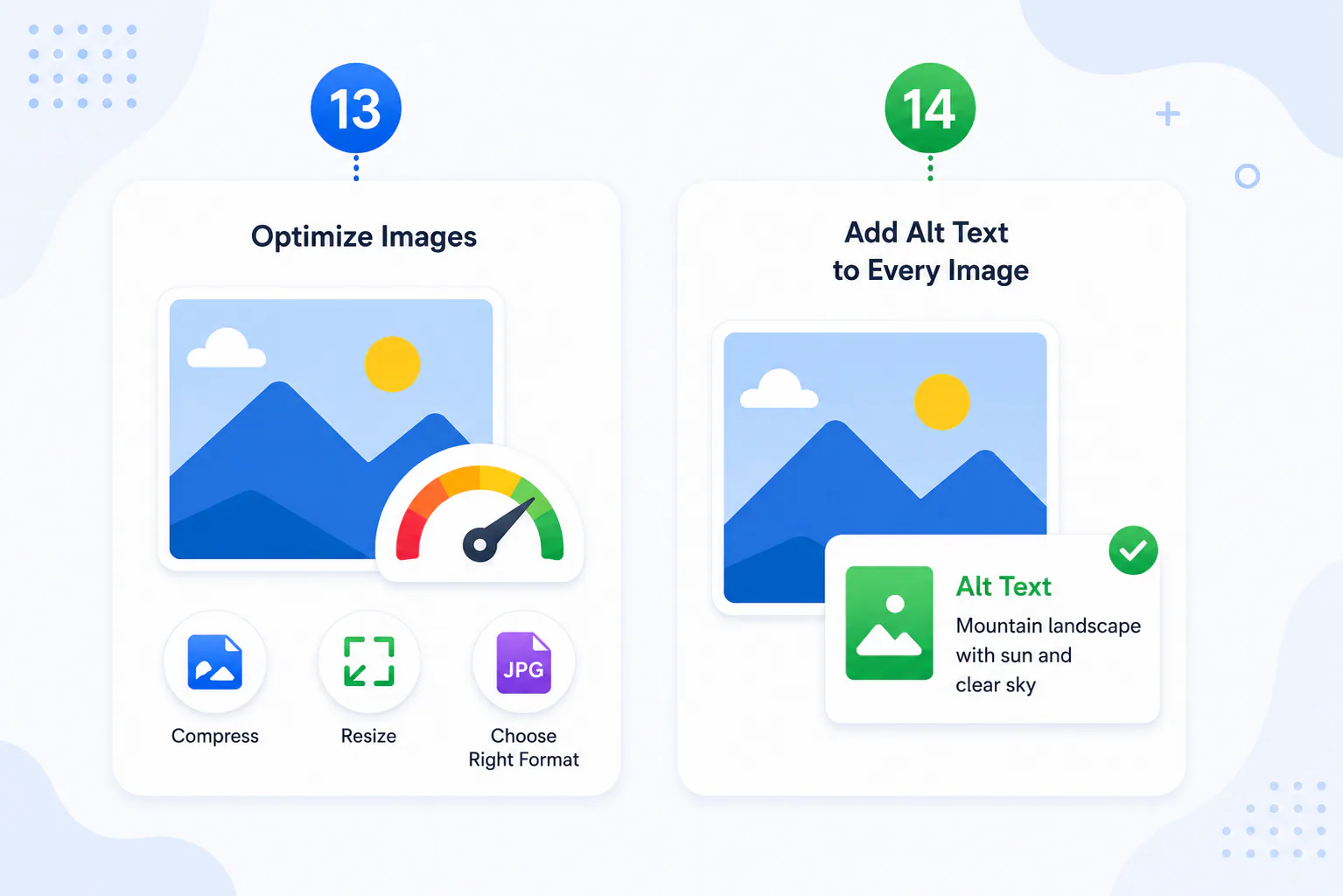
Step 13 — Optimize Images
Large, unoptimized images are the most common cause of slow page load times on content-heavy pages.
How to do it: Compress every image before uploading — target under 100KB for standard content images, under 50KB for thumbnails. Use descriptive, keyword-relevant filenames. Use WebP format where your CMS supports it. Set explicit width and height attributes to prevent layout shift.
Tool: Squoosh (free, browser-based) or TinyPNG (free) for compression before upload.
Why it matters: Unoptimized images directly hurt LCP scores, increase bounce rates on slow connections, and waste crawl budget on large file requests.
Step 14 — Add Alt Text to Every Image
Alt text describes an image to search engines and to screen readers for users with visual impairments.
How to do it: Write a concise description of what the image shows. Include the primary keyword where it is natural and accurate — do not force it into every alt tag. Decorative images that add no informational value can use empty alt text (alt="").
Tool: Screaming Frog SEO Spider (free up to 500 URLs) can audit an entire site for missing alt text in one crawl.
Why it matters: Alt text helps Google understand image context, contributes to image search visibility, and is a web accessibility requirement that affects how screen readers interpret your page.
User Experience and E-E-A-T Signals

Step 15 — Improve User Experience and Page Layout
Page layout affects how users move through your content and whether they find what they came for quickly enough to stay.
How to do it: Put the most important information above the fold — do not make users scroll to find the answer to the query that brought them to the page. Use a table of contents for long articles. Ensure navigation is clear and functional. Remove pop-ups that interrupt reading before the user has had a chance to engage with the content.
Why it matters: Pages that are hard to navigate produce high bounce rates and low dwell times. A page that consistently sends users back to the search results signals dissatisfaction — which Google uses to assess page quality over time.
Step 16 — Add Schema Markup
Schema markup is structured data added to your page's HTML that tells Google explicitly what type of content the page contains — an article, a how-to guide, a FAQ, a product, a review.
How to do it:
- Add FAQPage schema to any page with a FAQ section
- Add HowTo schema to any step-by-step guide
- Add Article schema to all blog posts
- Add BreadcrumbList schema to improve how your URL path appears in search results
Tool: Google's Rich Results Test (free) — validates your schema markup and shows how it will display in search results.
Why it matters: Schema markup enables rich results — expanded search listings that display FAQ dropdowns, step previews, and star ratings directly in the search results page. Rich results have significantly higher click-through rates than standard listings and give your page a visual advantage over competitors.
Step 17 — Add an Author Bio With Credentials
An author bio is not just a courtesy — it is a direct E-E-A-T signal on the page itself.
How to do it: Display the author's full name, professional background, and relevant credentials visibly on the article page — above the article body and in a bio box below it. For YMYL content (health, finance, legal), include specific credentials. Link the author name to a full author profile page.
Why it matters: Google's quality raters are specifically instructed to look for named, credentialed authors on pages covering topics that affect health, finances, or major life decisions. A named author with verifiable credentials is one of the strongest E-E-A-T signals available on any individual page.
Common On-Page SEO Mistakes

Targeting the wrong keyword
all the on-page optimization in the world cannot make a page rank for a keyword it does not deserve. The keyword must be realistic for your domain authority before on-page work begins.

Ignoring search intent — optimizing a page perfectly for a keyword while delivering the wrong content type produces no rankings. Check what format Google is ranking before writing.
Keyword stuffing — repeating the same exact keyword phrase throughout a page in an unnatural pattern does not help rankings — it triggers over-optimization filters. Use the keyword naturally and supplement with semantically related terms.

No internal linking — a page with no internal links is isolated from your site's authority. Every published page should link to at least two related pages and be linked to from at least two related pages.

Skipping schema markup — schema is a free, implementable competitive advantage that many small sites ignore. Adding FAQPage and HowTo schema to relevant pages takes 15 minutes per page and can deliver rich results without any change to rankings or backlinks.
Frequently Asked Questions About On-Page SEO
Is on-page SEO enough to rank?
For low-competition keywords on established domains, yes — strong on-page SEO without additional backlinks can achieve page-one rankings. For competitive keywords, on-page SEO is the foundation that makes backlink-building effective. Backlinks pointing to a poorly optimized page produce weaker results than the same backlinks pointing to a well-optimized one.
How long does on-page SEO take to work?
Changes to existing pages — fixing title tags, improving content, adding internal links — can produce ranking improvements within two to four weeks as Google recrawls and re-evaluates the page. New pages targeting competitive keywords take longer because they also need authority signals to build. For most on-page fixes on established pages, four to six weeks is a reasonable window to see measurable change.
What is the difference between on-page SEO and technical SEO?
On-page SEO covers the elements on an individual page — content, headings, keywords, links, schema. Technical SEO covers site-wide infrastructure — crawlability, site speed across the whole domain, XML sitemaps, canonical tags, and indexation settings. Both affect rankings but are managed differently. On-page is content-level. Technical is architecture-level.
Do I need to redo on-page SEO when I update an article?
Yes, partially. When you update an article, re-check the title tag and meta description for the current keyword target, verify that internal links still point to live pages, confirm the search intent has not shifted, and update any statistics or dated figures. For significant content rewrites, treat the page as a new piece of content and run through the full checklist.
Conclusion
On-page SEO is not complicated — but it is precise. Every element works together to send clear signals to search engines. A strong title tag means nothing on a page that fails Core Web Vitals. Perfect content means nothing if the intent does not match.
Apply this checklist to every page before publishing. Then apply it to your highest-traffic existing pages that are not ranking as well as they should. The pages where small fixes deliver the most improvement are almost always the ones where one or two fundamental elements were skipped.
Connect this checklist with your keyword research process and your digital marketing strategy to build a complete, optimized SEO system. See our guides on keyword research for beginners and digital marketing for small businesses for the complete framework.
Primary Sources
- Google Search Central. Core Web Vitals and Google Search results. developers.google.com/search/docs/appearance/core-web-vitals
- Google. PageSpeed Insights. pagespeed.web.dev
- Google. Rich Results Test. search.google.com/test/rich-results
- Screaming Frog. SEO Spider. screaming-frog.co.uk/seo-spider
- Squoosh. Image compression tool. squoosh.app

About the Author
Maan C. is a Filipino writer, blogger, and self-described frustrated journalist who finally found her voice through writing. She holds a degree in psychology, a diploma in Special Education, and spent eight years in the classroom — teaching English as a Second Language to Korean students and handling preschool classes before stepping away to raise her family. After a decade as a full-time mother, she re-entered the workforce as a company-trained SEO specialist and virtual assistant, rebuilding her career from scratch before pivoting to full-time blogging. She writes about everything that genuinely interests her — technology, AI, education, careers, freelancing, travel, finance, real estate, and more — drawing from lived experience, serious research, and a lifelong habit of wanting to understand how things actually work. She describes AI as the tool that finally let her write the way she always wanted to: freely, clearly, and without holding back. Read more of her work at pixelscoop.com.
In this article, Maan writes from her background as a company-trained SEO specialist and her ongoing work as a full-time AI-assisted content creator.